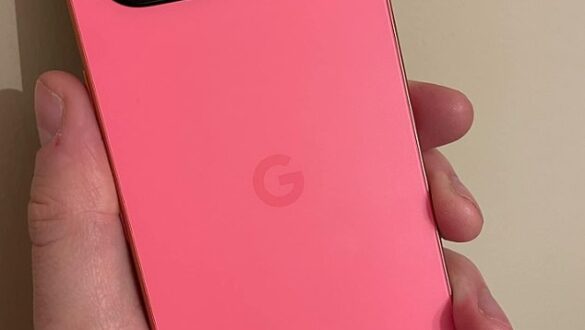
Restart your phone every week: here’s the reason according to the NSA

In a world that is increasingly dependent on smartphones, our habit of using this device often ignores important steps to maintain security. The United States National Security Agency (NSA) provides suggestions for Restart your phone regularly, at least once a week. Why is this important? Here is a full explanation and some other tips to keep your mobile device safe.
Why is a weekly restart important?
1. Inhibiting Cyber Attacks The NSA recommends restarting your phone every week as part of “Mobile Device Best Practices”. In the era of sophisticated cyber attacks, rebooting the device can be a simple but effective step to hinder ongoing attacks. Neal Ziring, technical director for the NSA’s Directorate of Capability, explained that many modern cyber attacks consist of chains of several vulnerabilities that must be exploited sequentially. By restarting the device, you force the attacker to restart from scratch, thus hampering their efforts.
2. Prevent slowdown and freeze The mobile manufacturer also acknowledged that the routine of turning off and reviving the device helps prevent slowing and freezing of the system. This is a simple way to make sure your phone remains functioning optimally.
Other security tips from NSA
In addition to a weekly restart, here are some NSA tips that can help you keep your phone safe:
3. Turn off Bluetooth and Wi-Fi when not in use Bluetooth and Wi-Fi are potential entrances for hackers. Turn off this feature when not in use to reduce risk.
4. Always Update OS and Apps Make sure your operating system and application are always updated. Updates usually include important security fixes that can protect your device from the latest threats.
5. Disable Location Services Location services can provide valuable information about your movement. Disable this feature if it is not really needed.
6. Use a secure lock screen password A strong lock screen password is your first defense against unwanted access. Make sure to use a combination of passwords that are difficult to guess.


7. Avoid untrusted accessories Accessory such as a charger cable or an untrusted USB device can be used to access your device. Use only reliable accessories.
Other good habits for device security
8. Beware of suspicious email attachments Even emails from people you know can contain malware. Do not open suspicious email attachments without checking for their authenticity.
9. Do not share sensitive data via text messages Avoid sending sensitive data such as passwords via text messages. This can be easily accessed by unauthorized parties.
Additional steps for maximum security
10. Use Internet Traffic Monitoring Application Apps like GlassWire can help you monitor internet traffic and detect if any data goes to suspicious places.
11. Create a unique login for each service Use a unique login for each service you use. This will reduce the risk of hackers gaining access to multiple accounts with a single password.
12. Take advantage of VPN A good VPN can help protect your privacy and keep your data safe while using public networks.
FAQ About Restart Cell Phone and Mobile Security
Q: Why should I restart my phone every week? A: A weekly restart can hinder ongoing cyber attacks and ensure that your phone stays functioning optimally.
Q: What are the risks of using Bluetooth and Wi-Fi continuously? A: Bluetooth and Wi-Fi that continue to be active can be an entry point for hackers to access your device.
Q: Is always updating the OS and apps important? A: Yes, OS and app updates usually include security fixes that are important to protect your device from the latest threats.
Q: What is the best way to protect my sensitive data? A: Avoid sending sensitive data via text messages, use strong passwords, and consider using a VPN for additional security.
Q: What are the advantages of using internet traffic monitoring applications such as Glasswire? A: Internet traffic monitoring application can help you detect if any data is heading to a suspicious place, so you can take precautions.
Q: Why is it important to use a unique login for each service? A: Using a unique login reduces the risk of hackers gaining access to multiple accounts with one password.
By following these suggestions, you can keep your mobile device safe and protect yourself from the ever-evolving cyber threats. Weekly restarts and other best practices are a simple but effective step to ensure your phone stays safe and works properly.