8 Phone Blocking Apps to Try Instead of Bricking

It’s easy to lose hours each evening scrolling through social media. You open an app to check in with friends, and before you know it, you’re deep into a marathon of content that’s unlikely to stick with you the next day. These aren’t highbrow art films or even Marvel movies — they’re just random bits of content that fade from your memory quickly.
You might try setting screen time limits on your iPhone or Android smartphone, but these can often be ignored or extended. However, if you make those addictive apps harder to access, you might find your phone usage naturally decreases. This concept was popularized by the Brick app, which requires a physical device to unblock apps. While the idea is solid, it comes at a cost of $59.
If you’re looking for a more affordable option, there are several apps that offer similar functionality without the need for a physical device. These apps use strict modes that prevent you from unblocking content until focus time is up. Even uninstalling them won’t help, as they are designed to stay in place.
Alternatives to Brick
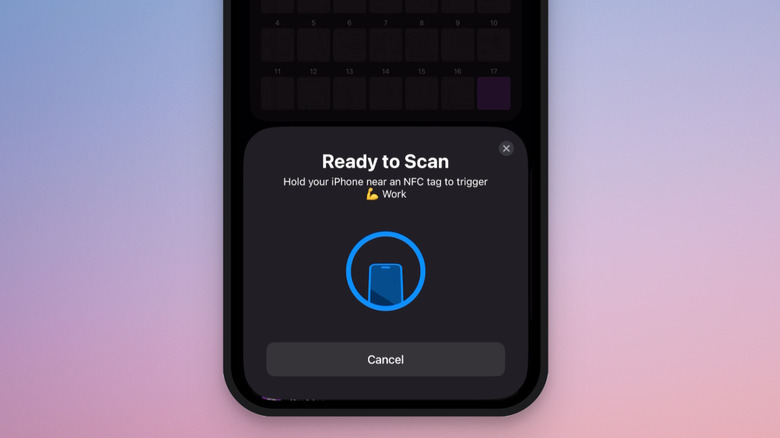
For iPhone users seeking a free alternative to Brick, Foqos is a great starting point. It’s completely free and open source, offering features similar to Brick. Foqos integrates with the native iPhone blocking experience using the Screen Time API. Instead of a $60 device, you can use NFC tags and QR codes, which are inexpensive or even free to create.
With Foqos, you can create custom profiles based on the apps or websites you want to block. For example, you could block Instagram and TikTok during work hours and Gmail and Slack during the evening. Once the profile is enabled, keep the QR code or NFC tag out of reach. When you’re ready to focus, scan the code or tag using the Foqos app to unlock access. There’s also a timer-based option where apps remain blocked until the set time runs out.
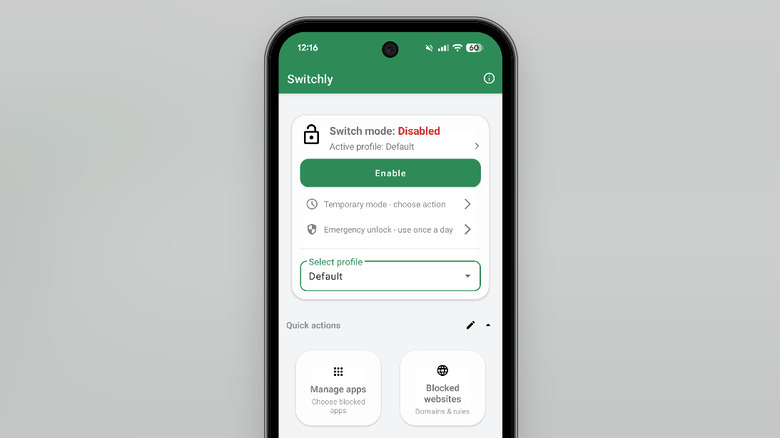
Another alternative is Switchly, a free and open-source app designed for Android. It offers native integration for blocking apps and websites and allows you to block specific features within social media apps, like Reels on Instagram or Shorts on YouTube. Similar to Foqos, Switchly lets you unblock apps using NFC tags, QR codes, or barcodes.
The app also leverages Android’s background processing to create custom blocking routines using schedules, Wi-Fi networks, Bluetooth, and location tracking. You start by creating a profile, adding the apps and websites you want to block, and then setting up a blocking method. This could be a simple schedule or a combination of NFC tags and QR codes for early unblocking. You can even automate the process so that profiles are enabled based on the Wi-Fi network you connect to.
Hardware-Based Options
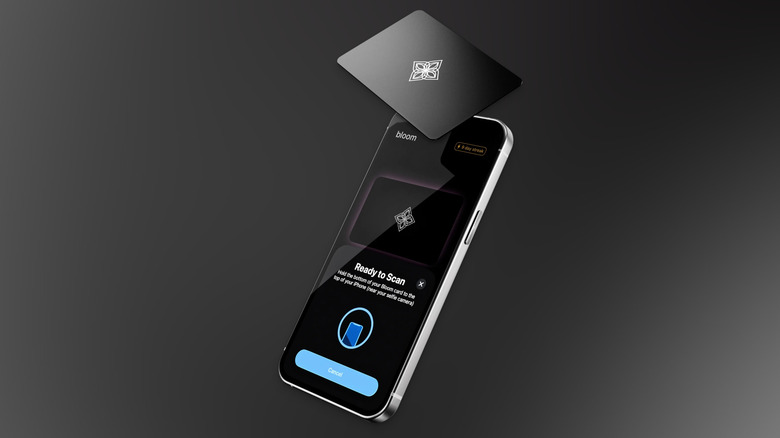
If you prefer dedicated hardware for blocking apps but don’t want to spend $60, Bloom is a good alternative. Unlike Brick, it comes in the form of a metal card that’s discreet and easy to store. The concept is similar to Brick: tap the Bloom card on your smartphone to lock the device, and tap it again to unlock restrictions. Once locked, hide the card, give it to a spouse, or leave it in another room.


Bloom works on both iPhones and Android devices, and the app itself is free with no subscriptions or in-app purchases. The card costs $39. While deleting the Bloom app from your smartphone can unblock apps, the app offers a strict mode that prevents you from deleting any app until the time is up or the card unlocks the device.
Unlike Brick, which blocks everything, Bloom offers breaks. You can take up to three five-minute breaks directly on your smartphone without touching the Bloom card. This can be useful for emergencies or quick checks, though it may not suit everyone.
Feature-Rich Apps
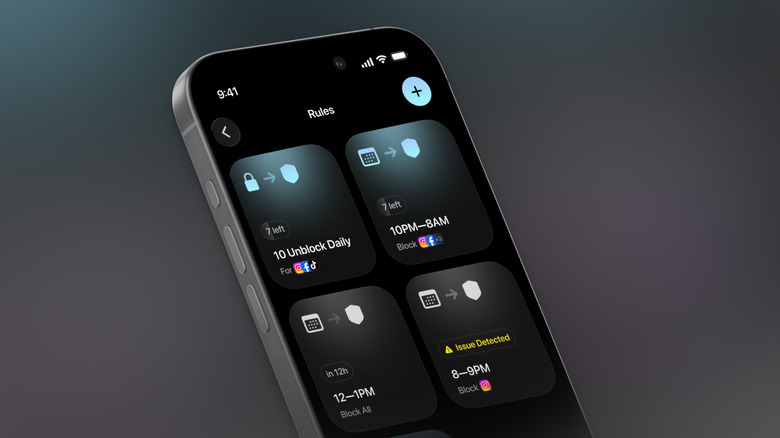
For a feature-rich screen time app, Jomo is worth considering. The free version offers a single blocking session, which may be enough for most users. A $29.99/year subscription unlocks up to 10 sessions, a strict mode, and Apple Health integration. Jomo works on iPhones, iPads, and Macs, and uses the Screen Time API for native integration.
What sets Jomo apart is its customizable barrier. Before unlocking an app, you might have to scan a QR code, enter a password, solve a puzzle, or even provide a selfie via an AI feature. With the Rules feature, you can block an app for a specific amount of time, set limits on how many times it can be opened, or set a cut-off time.
Free and Innovative Tools
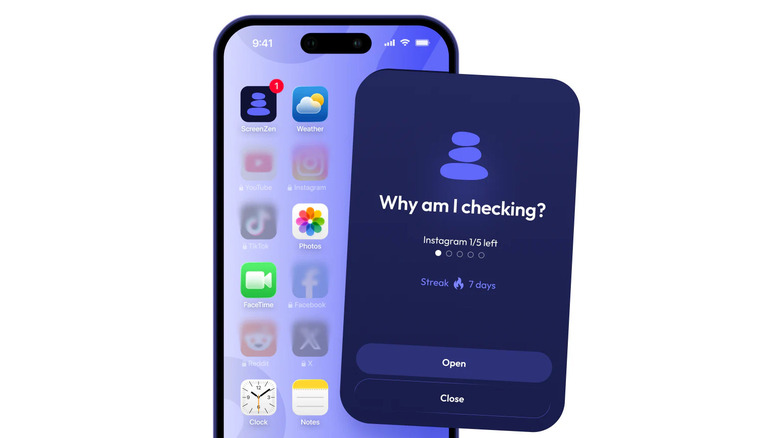
If you’re looking for a truly free screen-time utility that works across major platforms, ScreenZen is a good choice. It doesn’t have premium tiers, though donations are encouraged. ScreenZen isn’t technically an app-blocking utility, but it will annoy you into submission.
ScreenZen uses a delay-based system. When you first open an app, it shows a countdown before you can actually open it. This pause is customizable, ranging from a few seconds to minutes. The delay increases each time you open the app. You can also use Interventions, which require solving math problems or completing tasks before unlocking the app. ScreenZen also offers a Lock mode to prevent you from uninstalling it.
Gentle Approaches
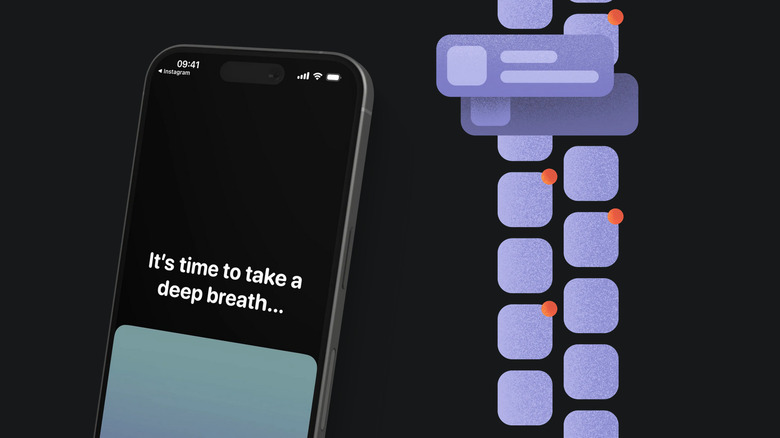
If blocking and hiding apps feels too extreme, consider One Sec. Available on iPhone, iPad, Android, and major browsers, One Sec takes a science-backed approach. According to research conducted with the Max Planck Institute and Heidelberg University, users reduce app usage by around 57% on average.
Like ScreenZen, One Sec interrupts the opening of distracting apps. When it takes over the screen, it presents a slow-breathing exercise before asking if you want to open the app. Over time, this interruption can shift your behavior. The interruptions are customizable, including breathing exercises, mood journaling, or math problems. You can also ask One Sec to interrupt you while already using the app, such as every five minutes.
Polished and Comprehensive
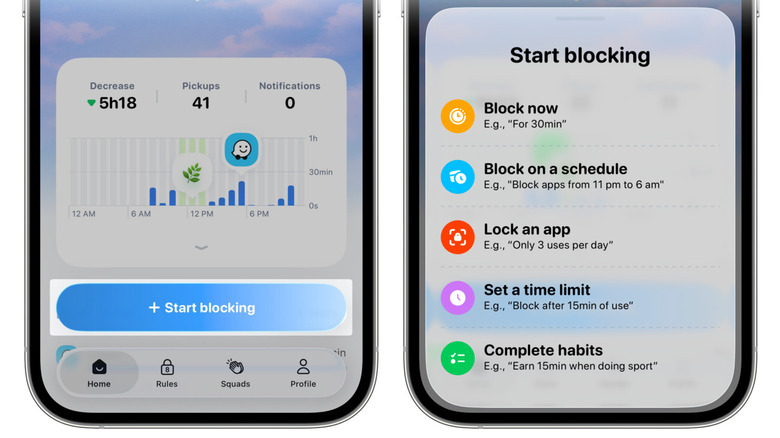
When it comes to design and features, Opal is a polished and mature app available on iOS, Android, and Mac. It’s the most expensive on this list, with a $99.99/year subscription. However, the free version allows for a single rule for blocking apps and websites, along with basic timers and soundscapes.
Opal combines sleep, focus, and rest metrics to give a digital well-being score. It offers automation rules that sync between devices, such as blocking social media on weekdays or work apps on weekends. The Pro version unlocks more advanced features and harder unblocking steps.
Productivity Through Focus
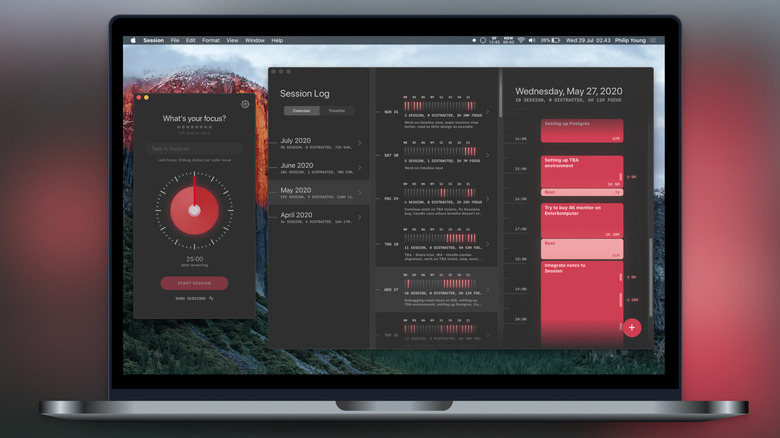
Session aims to get you to a focused life via the Pomodoro technique. It’s an Apple-based app and website blocker, but only when in a Pomodoro session. The Pomodoro method involves 25 minutes of focused work followed by a 5-minute break. During this time, you can’t access YouTube or scroll through news websites.
Session is customizable, allowing for longer work sessions and breaks. It syncs across your iPhone, iPad, and Mac, preventing temptation across devices. These features are available in the paid Pro version, which includes a seven-day free trial and costs $4.99/month or $39.99/year.
Methodology
The apps listed here all offer ways to block distracting apps for a certain time, helping you focus. They make it difficult or impossible to unlock distractions for a predetermined time, using multiple authentication methods, including physical objects, NFC tags, QR codes, puzzles, selfies, and more. App store ratings, user feedback, and expert reviews underlined the quality and utility of the apps we’ve recommended as worthy alternatives to Brick.