how to make story wa hd

WhatsApp has become a very popular communication platform, not only for sending text messages, but also for sharing everyday moments through features Story. However, often the quality of the image or video uploaded is not as expected. This article will discuss in detail how to make a story wa hd, so you can share moments with the best quality.
Why is the quality of WhatsApp story important?
The quality of images or videos uploaded in Story WA is very important because:
- Maintain visual details: High quality images or videos will display clearer and sharper details.
- Better user experience: Users who see your story will get a better visual experience.
- Professionalism: For business or promotional purposes, high quality shows professionalism and increases the trust of the audience.
Steps to make a wa hd story
1. Create a new story with high quality
- Click the update icon: Open the WhatsApp application and click the update icon at the bottom of the screen.
- Go to the Status and Channels section: Select the “Status” tab to enter the Story section.
- Create a new story: Click the plus button (+) next to “my status” to create a new story.
- Select a picture or video: Select the image or video you want to upload from the gallery.
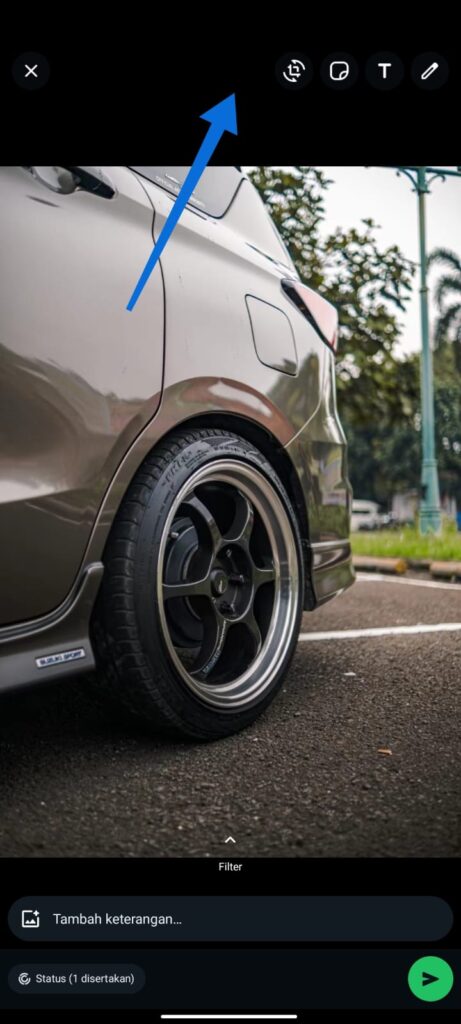
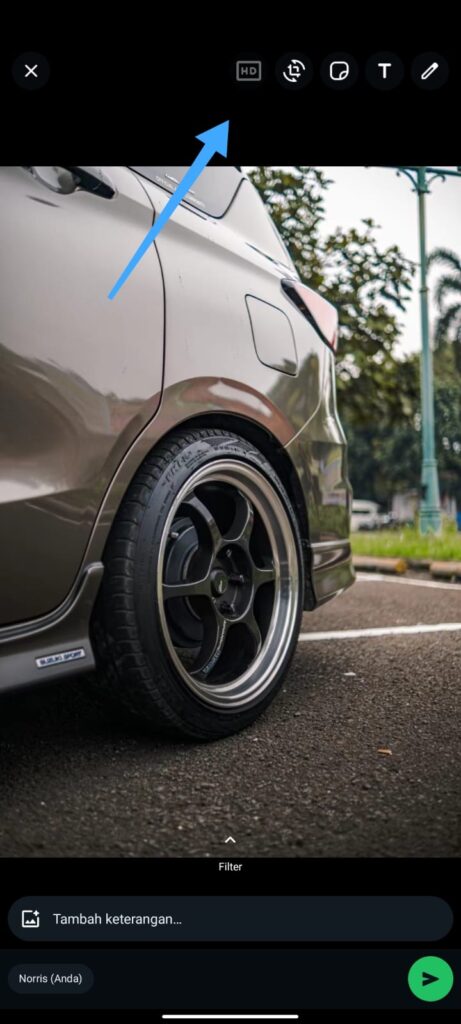
- Enable HD option: Click the “HD” symbol option at the top right of the screen.
- Select “High Quality”: After selecting the HD symbol, select the “High Quality” option.
- Send Story: Click the Send button to share your story with the best quality.

2. Alternative if the HD option does not exist
If you don’t find the HD option in your WhatsApp app, follow these steps:
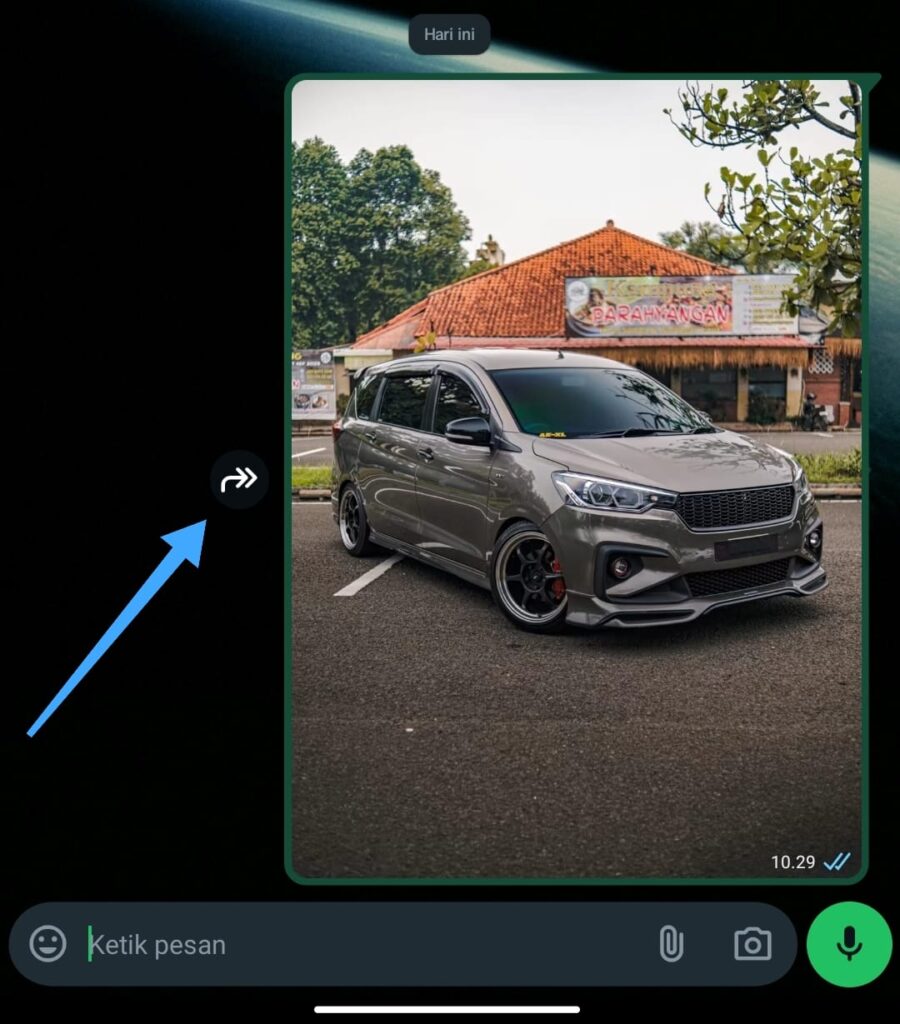
- Send photos or videos in chat: Select the photo or video you want to upload, then send it to chat (can be to yourself or someone else).
- Select video in chat: Open a chat containing photos or videos that have been sent.
- Enable HD option: Click the “HD” symbol option on the top right of the screen.
- Select “High Quality”: After selecting the HD symbol, select the “High Quality” option.
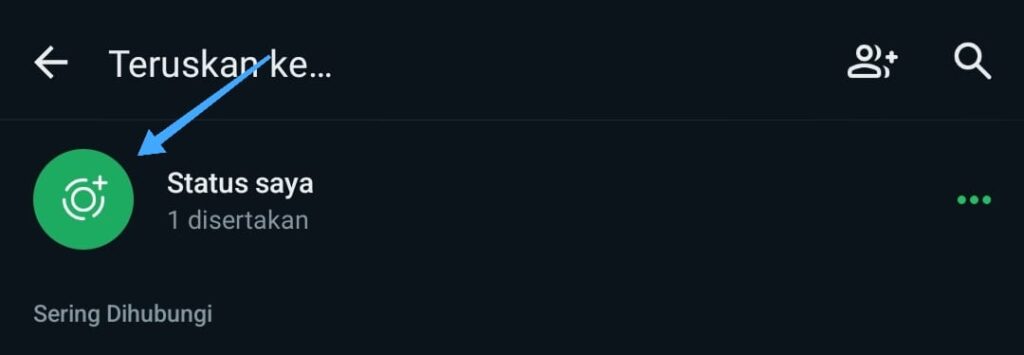
- continue to the story: After the video or image is sent, you can forward it to Story WA by selecting the Forward button and selecting “My Status”.


Tips and Tricks to Optimize the Quality of Story Wa
1. Use a high quality camera
Make sure you use a high-resolution camera when taking photos or videos. The higher the camera resolution, the better the quality of the story you will upload.
2. Edit the image or video before uploading
Use a photo or video editing application to improve visual quality before uploading it to WhatsApp. Some of the applications you can use are:
- Adobe Lightroom: This application allows you to edit photos with various advanced features.
- InShot: This application is very good for editing videos with various effects and filters.
3. Make sure the internet connection is stable
A slow internet connection can affect the quality of the upload. Make sure you have a stable internet connection when uploading stories to WhatsApp.
4. Update WhatsApp Application
Always update your WhatsApp application to the latest version. These updates often bring feature improvements, including the option to upload high quality stories.
Frequently Asked Questions (FAQ)
1. Why is the quality of my whatsapp story poor?
WhatsApp story quality can be poor for several reasons, such as:


- Low photo or video resolution.
- Unstable internet connection when uploading.
- unenabled quality settings.
2. How to enable the HD option on WhatsApp?
To enable the HD option, you can follow these steps:
- Select the photo or video you want to upload.
- Click the “HD” symbol at the top right.
- Select “High Quality”.
3. Do all devices support HD options on WhatsApp?
Not all devices may support HD options on WhatsApp. Make sure your WhatsApp application is updated to the latest version and your device supports this feature.
4. How to improve the quality of the uploaded video?
Unfortunately, you can’t improve the quality of the uploaded video. However, you can make sure the quality of the next upload is better by following the steps above.
5. Does WhatsApp reduce the quality of photos and videos?
WhatsApp does compress photos and videos to save data and speed up delivery. However, with the HD option, you can ensure better quality.
6. Is there another way to improve the quality of the WhatsApp story?
In addition to the steps above, you can improve the quality of WhatsApp stories by making sure your phone’s camera is clean and not dusty, and takes pictures or videos in good lighting conditions.
By following this guide, you can create a clearer, sharper, and professional WA HD Story. Always remember to update your WhatsApp application and take advantage of the latest features offered. Good luck and good luck!