
How to Use Galaxy S26 Display Privacy Feature

Introduction to the Galaxy S26 Series with the Latest Privacy Technology
Samsung Electronics Co. Ltd. officially launched the Galaxy S26 Series which offers a variety of innovative features, including screen protection technology called Privacy Display. This feature is claimed to be the first in the mobile industry with a level of privacy protection down to the pixel level. This technology is designed to answer users’ concerns about the risk of shoulder surfing or peeking at the screen, especially when accessing sensitive content such as mobile banking in public spaces.
Key Features: Privacy Display
The Privacy Display is one of the main features on the Galaxy S26 Ultra. This technology no longer relies on additional protective layers such as anti-spy film or other accessories, but is directly embedded in the device’s screen panel. When this feature is off, the Samsung Galaxy S26 Ultra screen uses two types of pixels at once, namely Narrow Pixel and Wide Pixel. However, when the feature is enabled, the screen only uses the narrow pixel, while the wide pixel is disabled.
This feature can be accessed by scrolling down the screen and the Privacy Display option immediately appears in the Control Center panel. When tested by Tempo, the Privacy Display system was proven to work quite flexible. Users can enable this feature for the entire screen display, or set to be inactive in all applications. Users can also select certain apps—such as WhatsApp or Mobile Banking—which will enable screen protection. This service can also be set only active when the user enters a PIN or password.
Functions and advantages of privacy display
When the feature is activated, the screen display remains clear and clear to users who are right in front of the device, even though the brightness level is slightly decreased. However, when viewed from a side angle, the screen looks darker and a bit blurry so the content is difficult to read. Thus, users can feel more secure when accessing important information in public places.
In addition, Samsung embeds the Partial Screen Privacy option that limits visibility only to pop-up notifications—hide the contents of notifications from people around. There is also a Maximum Privacy Protection mode that provides higher protection. In this mode, the screen display from the side corner looks so much darker that it can barely be seen at all.
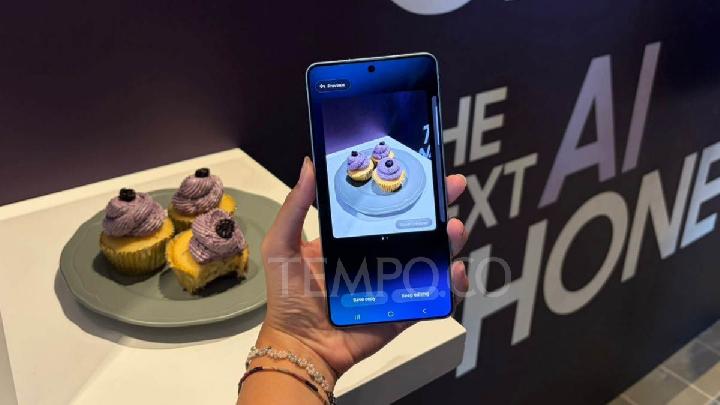
The newly released Samsung Galaxy S26 Ultra display, February 26, 2026. Tempo/Defara
Other updates on the Galaxy S26 Series
In addition to the Privacy Display feature, the Galaxy S26 Series also brings various other relevant updates for the daily needs of users. Some improvements occur from the hardware aspect, which is expected to increase the convenience and efficiency of device use.
With technology such as Privacy Display, Samsung shows its commitment to provide solutions that suit the needs of modern users, especially in terms of data privacy and security. These features not only enhance the user experience, but also provide a sense of security when accessing sensitive information in a not fully controlled environment.


