Is Your Samsung Phone MagSafe Compatible?

MagSafe is a magnetic accessory and wireless charging technology that has become popular among Apple users. It’s available on every iPhone since the iPhone 12, except for the SE series and the iPhone 16e. However, you might come across phone cases and other accessories that claim to support MagSafe but are actually designed for Samsung Galaxy smartphones. This can raise questions about whether Samsung phones support MagSafe technology.
Unfortunately, MagSafe is an Apple proprietary technology, so it’s not officially supported by Samsung devices. That said, there are ways to add MagSafe functionality to your Samsung phone. You can use MagSafe-compatible cases or attach a MagSafe-compatible magnetic ring to the back of your phone. In both scenarios, you’re essentially adding a magnetic ring to your device, allowing MagSafe gadgets to attach and function. However, this is more of a workaround and doesn’t offer the same seamless experience as on an iPhone. There are also some limitations to be aware of.
Slower MagSafe Charging on Samsung Phones
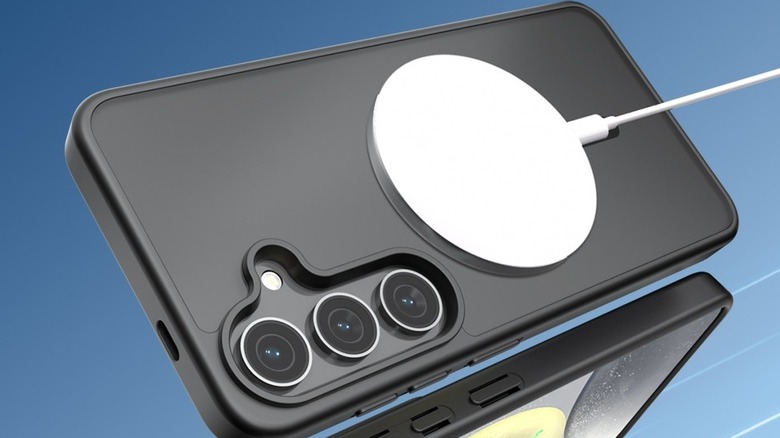
One of the main advantages of MagSafe is its support for fast magnetic wireless charging. Most iPhones can charge at 15W via MagSafe, with newer models capable of up to 25W. When using a MagSafe case with a Samsung phone and attaching a MagSafe wireless charger, you’ll typically only get 7.5W charging, with a few exceptions. Only phones that officially support MagSafe receive the full 15W or 25W charging speeds.
That being said, if your Samsung phone, such as the S25 or S26 series, supports Qi2 charging, you can achieve 15W to 25W wireless charging depending on the charger and your device. For example, the Galaxy S26 Ultra supports 25W Qi2 charging with a compatible Qi2/MagSafe charger, while the S26+ is limited to 20W and the S26 can’t exceed 15W.
In some cases, if a MagSafe charger also supports Samsung’s Super Fast Wireless Charging technology, it can deliver up to 15W charging to Samsung devices even without Qi2 support. However, don’t assume you’ll get fast MagSafe charging just because you’re using a MagSafe case and charger with your Samsung phone. Another thing to consider is that you may need to remove the MagSafe case from your Samsung phone to use reverse wireless charging, if that feature is available.
MagSafe Cases Open a Whole New Ecosystem of Accessories for Samsung Phones
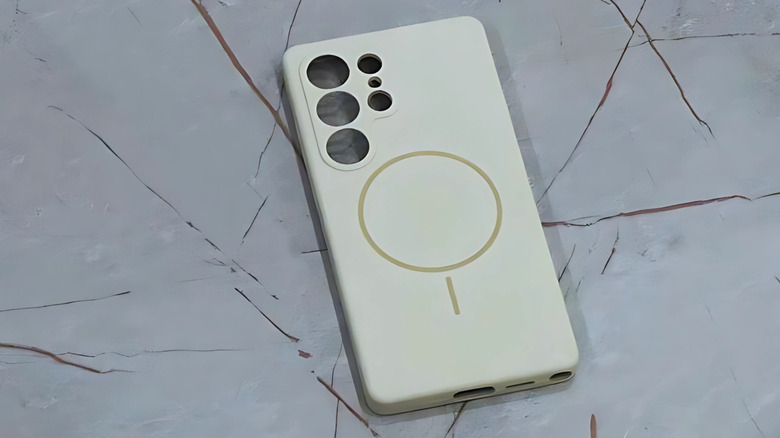
Even though there are some charging speed limitations to keep in mind before fully embracing MagSafe, it does open up access to a wide range of MagSafe gadgets that you wouldn’t otherwise be able to use. If you’re planning to use a case with your Samsung phone, choosing one with MagSafe support is almost a no-brainer. Once you’ve enabled MagSafe support on your phone, you can use accessories like MagSafe battery packs, portable SSDs, wallets, mounts, phone grips, tripods, ring lights, kickstands, and more. These are just a few examples; online stores are filled with exciting MagSafe gadgets that have unique use cases.
However, it’s important to note that the magnetic strength of different cases can vary, which may affect your overall experience. Most MagSafe accessories are designed with iPhones in mind, so they may not fit or attach as smoothly to Samsung phones.


Considerations Before Using MagSafe on Your Samsung Phone
While MagSafe offers a range of benefits for Samsung users, there are several factors to consider before making the switch. The charging speed is one of the most significant concerns, as Samsung phones generally do not support the same high-speed MagSafe charging as iPhones. Additionally, the compatibility of MagSafe accessories with Samsung devices can vary, leading to potential issues with attachment or functionality.
Despite these challenges, many Samsung users find that the convenience and variety of MagSafe accessories make it worth the effort. Whether you’re looking for a more organized way to charge your phone or want to expand your accessory options, MagSafe can provide a useful solution—albeit with some caveats.