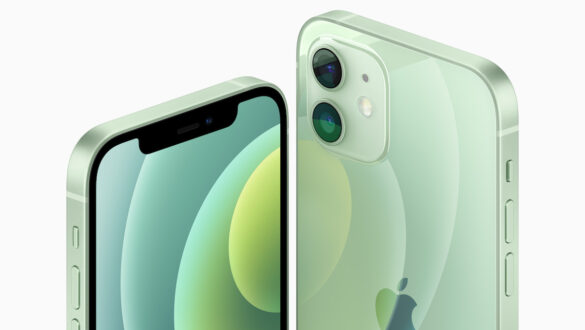
Why is there a black line on the cellphone screen?

HP screen is one of the most important components on a smartphone. Through this screen we can interact with various applications, watch videos, play games, and do many other things. However, one of the most common problems is black line on the cellphone screen. This problem is certainly very disturbing, and can be a sign of more serious damage. In this article, we will discuss why there is a black line on the cellphone screen, how to solve it, and tips to prevent it.
What causes black lines on the cellphone screen?
The black line on the cellphone screen can be caused by various factors. To understand more deeply, here are some common causes that often occur:
1. damage to the lcd screen
One of the main causes of the appearance of black lines on the cellphone screen is damage to the lcd screen. The LCD screen consists of layers of liquid crystals that can be disturbed if there is excessive pressure or impact on the screen. Damage to the LCD can be caused by several things, such as:
- Fall or hit hard: A cellphone that is dropped or hit hard can cause the LCD screen to crack or break. This can result in the appearance of black lines or even a totally dead screen.
- Excessive pressure: Pressing the screen too hard or putting the cellphone under a heavy object can also damage the LCD.
- Factory defects: Some HP may already have a screen defect since it exits the factory, which causes a black line to appear after some time of use.
2. Loose flexible cable connection
The HP screen is connected to the motherboard via a flexible cable. If this cable loose or if it is damaged, the signal that connects the screen to the system can be disrupted. As a result, a black line can appear on the screen. This loose connection can be caused by:
- HP fell: When the cellphone is dropped, the flexible cable can be shifted or loose.
- Improper installation: If the HP has been disassembled for repair and the flexible cable is not installed properly, a black line can appear on the screen.
3. damage to the screen driver ic
The screen driver IC is the component responsible for controlling the display of the image on the HP screen. If Driver IC This is damaged, then the display on the screen can be disturbed, including the appearance of black lines. Damage to the screen driver IC can be caused by:
- Overheat: HP that is too hot due to overuse or being in a hot place can cause the screen driver IC to be damaged.
- short circuit: Electrical problems such as a short circuit can damage electronic components including the screen driver IC.
4. bugs or software problems
Even though it’s rare, sometimes bugs or software problems It can also cause the screen display to be disturbed, including the appearance of black lines. This usually occurs after an operating system update or an incompatible application installation.
5. problem with OLED screen panel
For HP users with screens OLED, black lines can appear due to problems on the OLED screen panel itself. OLED screens are more prone to problems such as Burn-in Or pixel damage, which can cause permanent black lines on the screen.
How to Overcome Black Lines on the Hp Screen
If you have problems with black lines on the HP screen, here are some steps you can try to solve them:


1. Restart HP
The first step you can try is to Restart HP. Although it sounds simple, sometimes problems with the screen display can be solved by restarting. This helps refresh the system and fix temporary bugs that might be causing problems on the screen.
2. Check the flexible cable
If you feel comfortable disassembling your cellphone or taking your cellphone to a technician, you can check Flexible cable which connects the screen to the motherboard. Make sure the cable is installed properly and nothing is loose.
3. Screen calibration
Some HP has features Screen calibration which can be accessed via the settings menu. This calibration can help fix display problems caused by software errors.
4. Use the App to Overcome Dead Pixels
If the black line is caused by Dead pixels On the OLED screen, you can try using the application Dead pixel eraser. This application usually works by stimulating dead pixels to return to normal function.
5. Take it to a professional technician
If all the steps above don’t work, the best step is to bring your cellphone to professional technician. They can carry out more in-depth diagnostics and replace damaged components if needed.
Tips to prevent the appearance of black lines on the cellphone screen
Prevention is certainly better than cure. Here are some tips to prevent the appearance of black lines on your cellphone screen:
1. Use a screen protector
Always use screen protector High quality to protect the HP screen from impact or excessive pressure. Screen protector can help reduce the risk of damage to the LCD.
2. Avoid putting your cellphone in an unsafe place
Do not put the cellphone in a place that has the potential to cause damage, such as under a heavy object, in the back pocket of the pants, or in a place that can fall.
3. Keep the HP temperature
Make sure the cellphone is not too hot when used. Avoid excessive use for a long time which can cause overheating. Use a protective case that does not absorb heat and avoid using HP in very hot places.
4. Software updates regularly
Always do Software Update Periodically to ensure that your HP operating system runs smoothly and there are no bugs that can interfere with the screen display.
Conclusion
The appearance of black lines on the cellphone screen is very annoying, and can be a sign of serious damage to your device. The causes can vary, ranging from damage to the LCD, loose flexible cable connections, to problems with the screen or software driver IC. However, with the right steps, this problem can be overcome or at least minimized. Always make sure to keep your cellphone in good condition to prevent problems like this from appearing in the future.
FAQ
1. Can the black line on the cellphone screen be repaired without changing the screen? Yes, depending on the cause. If the problem is caused by a loose flex cable or software bug, the problem can be resolved without changing the screen. However, if the LCD screen or OLED panel is damaged, then most likely the screen needs to be replaced.
2. Is the Dead Pixel eraser application effective for removing black lines? Dead pixel eraser application can be effective if the black line is caused by dead pixel on OLED screen. However, if the cause is physical damage to the screen, this application may not help.
3. How much does it cost to replace a damaged cellphone screen? The cost of replacing the cellphone screen varies depending on the model and type of cellphone. On average, the cost of screen replacement ranges from IDR 500,000 to IDR 2,000,000 (approximately $31 to $125), depending on the brand and screen quality.
4. Does the HP warranty cover screen damage that causes black lines? HP warranty usually covers screen damage if it is caused by a factory defect. However, if the damage occurs due to a user’s error, such as a fall or exposed to liquid, usually will not be covered by the warranty.
5. How to find out whether the black line is caused by a software or hardware problem? You can try restarting the cellphone or doing a factory reset. If the black line still appears after a restart or reset, most likely the problem is with the hardware. If the black line is missing, most likely the problem is with the software.