Can Sunlight Harm Your Laptop? Here’s the Truth

If you have a remote job, you might want to make your day more exciting by trying out different workspaces. Working outdoors can be a great way to keep your inspiration flowing, especially for creative professionals. A quiet green park can turn even the most mundane tasks into something enjoyable. However, there is a catch. Both you and your laptop might struggle under direct sunlight after prolonged exposure.
Most laptops are not designed to function well under direct sunlight and may show some immediate warning signs. Frequent overheating from extended use under direct sunlight can permanently damage the battery’s performance. Additionally, components like LCD screens can become washed out, making visuals look dull. Laptop parts may even warp under high heat, ruining the appearance of your machine. That said, you can still work outdoors if you’re better prepared to handle the sunlight. While your sunscreen might not help, sunshades specifically made to protect laptops from direct sun exposure can be a good option. Here’s all the damage direct sunlight can cause and how to protect your laptop against it.
Sunlight Can Damage the Internals of a Laptop
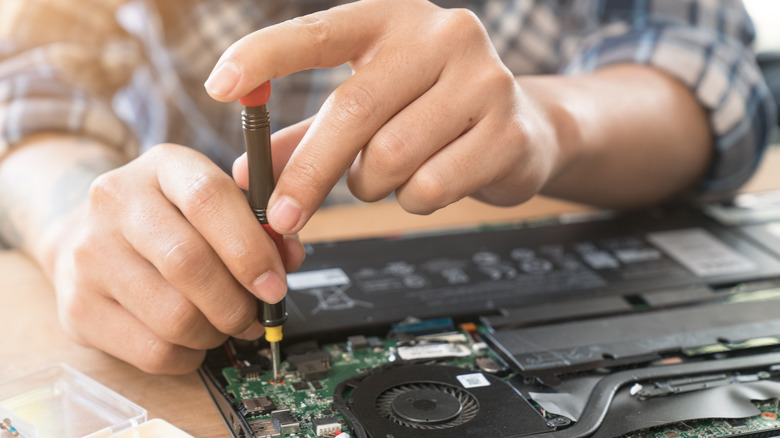
Most electronics, especially those powered by batteries, don’t fare well under direct sunlight. This is because overheating can permanently damage components such as batteries and processors. Most laptops use Lithium-Ion batteries that are designed to operate within a specific temperature range. Prolonged use under direct sunlight can degrade the battery’s performance, and you may need to charge it more frequently. In extreme cases, the battery might swell and become more vulnerable to combustion. This is why your iPhone will display a temperature warning message when you leave it in the sun for too long.
You may have also noticed the warm air coming from the fans on your laptop. These fans play an essential role in keeping your laptop cool, as the processor and GPU can overheat on their own. Adding direct sunlight to the mix means the fans might not be able to dissipate the extra heat. In some cases, the laptop might lag due to thermal throttling or even shut down abruptly. Apart from overheating, UV radiation in sunlight can also be harmful to LCD screens and the laptop body. The organic components inside an LCD display can be damaged by UV and IR radiation, resulting in distorted or washed-out colors. Moreover, non-UV-resistant materials can fade in color with prolonged UV exposure.
Using a Laptop Outdoors

You should avoid using your laptop under direct sunlight to prevent possible damage, but there are some workarounds to safely work outdoors during the day. The easiest solution is to find a shade from a tree or another structure to keep your laptop safe. However, if you can’t find one or need a permanent solution, you could consider a laptop sunshade.
These sunshades enclose the laptop’s body and prevent direct sunlight from hitting the device. Some heat-resistant ones absorb the sun’s heat to further keep the laptop cool. You also get the added benefit of better screen visibility, as low-brightness displays can be hard to see in daylight. While these laptop accessories can improve productivity, sunshades can often look awkward and might make you feel self-conscious while in public. The ambient heat can still cause overheating despite using a sunshade, so you should constantly monitor the CPU and GPU temperatures to ensure everything stays cool.


Additionally, a portable laptop stand for better airflow and an anti-glare screen protector can be good investments if you work outdoors frequently. These tools can help maintain optimal performance and comfort while working in sunny conditions.
Want the latest in tech and auto trends?
Subscribe to our free newsletter for the latest headlines, expert guides, and how-to tips, one email at a time. You can also add us as a preferred search source on Google.