Standard computer CPU size and other important components

Managing computer devices is not just choosing the strongest or most expensive hardware. There are various aspects that need to be considered so that all components work optimally. This article will discuss standard computer cpu size, PC case size, Motherboard typeand how to use Graphic Card Extension Cable in Micro Casing. Let’s get started!
standard computer cpu size
Standard computer CPU sizes generally refer to the physical dimensions of the processor and the motherboard. This size is important because it affects the type of casing that can be used and how other components are installed.
1. Processor size (CPU)
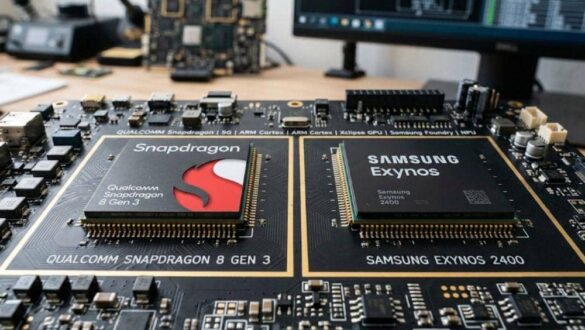
Modern processors usually have relatively small standard sizes, but there are several variations based on the manufacturer:
- Intel: Intel Core i3, i5, i7, and i9 processors usually have the same size. The sockets used are also standard, such as the LGA 1151 or LGA 1200.
- AMD: AMD Ryzen processors also have standard sizes, with commonly used AM4 sockets.
2. Motherboard size
The motherboard has several standard sizes that affect the size of the casing that can be used:
- ATX: This size is the most common with dimensions of about 305 mm x 244 mm.
- Micro-ATX: Slightly smaller than the ATX with a size of about 244 mm x 244 mm.
- Mini-ITX: The smallest size with dimensions of about 170 mm x 170 mm.
PC case size
The PC case must be selected based on the size of the motherboard and other components. There are various types of casings that can be tailored to the needs of users.
1. Full Tower
Full Tower is the largest casing with a height of about 70 cm or more. This case can accommodate ATX and even E-ATX motherboards, as well as several GPUs and liquid cooling devices.

2. MID TOWER
Mid tower is the most commonly used type of casing. With a height of about 45-55 cm, this case can accommodate ATX and Micro-ATX motherboards.


3. Mini Tower
Mini towers are usually used for micro-ATX and mini-ITX motherboards. With a height of about 35-45 cm, this case is suitable for systems with limited space.

4. Small Form Factor (SFF)
The SFF casing is very small, ideal for mini-ITX. Usually used for very compact PCs, such as PCs for home theaters.

Motherboard type
The motherboard is the backbone of the computer system. The type of motherboard selected will determine the other components that can be used.
1. ATX (Advanced Technology Extended)
ATX motherboards are the most common with large sizes that allow many expansion slots.
2. Micro-ATX
This motherboard is smaller than the ATX, with a few fewer expansion slots, but still enough for most users.

3. Mini-ITX
The smallest motherboard is ideal for compact builds. Has very limited expansion slots.

4. E-ATX (Extended ATX)
This motherboard is larger than the ATX, usually used for workstations with multiple expansion slots and multi-GPU support.

using a Graphic Card Extension Cable in the Micro Casing
When building a PC with a Micro casing, one of the biggest challenges is installing a large graphics card. This is where the Graphic Card Extension Cable (Riser Cable) is a useful solution.
1. What is a Graphic Card Extension Cable?
Graphic Card Extension Cable is a cable that allows you to install a GPU in a different location than the PCIe slot on the motherboard. This is very useful in small casings where space is very limited.

2. Advantages of Using Riser Cable
- Space Optimization: Allows the placement of the GPU in an unusual place, saving space in the casing.
- Better cooling: By placing the GPU away from other components, the air flow can be more optimal.
- Aesthetics: Provides a neater and aesthetic appearance for your PC build.
3. How to Install Riser Cable
- Select Quality Riser Cable: Be sure to choose a good quality riser cable to avoid signal problems.
- Install carefully: Follow the installation instructions carefully to make sure the cable is properly attached.
- Ensure air circulation: Place the GPU and riser cable in such a way as to ensure optimal air circulation.
FAQ
What is the standard size of a computer CPU?
The standard size of the computer’s CPU refers to the dimensions of the processor and the motherboard. Modern processors such as Intel and AMD have small standard sizes, while motherboards have various sizes such as ATX, Micro-ATX, and Mini-ITX.
How to choose the right PC case size?
Select the size of the PC case based on the type of motherboard you are using and the number of additional components such as GPUs and cooling devices. Full Tower and Mid Tower are suitable for ATX motherboards, while Mini Tower and SFF are suitable for Micro-ATX and Mini-ITX.
What are the common types of motherboards?
Common types of motherboards include ATX, Micro-ATX, Mini-ITX, and E-ATX. The ATX is the most commonly used, while the Mini-ITX is the smallest and ideal for compact builds.
How to use Graphic Card Extension Cable in Micro Casing?
The Graphic Card Extension Cable lets you install the GPU in a different location than the PCIe slot on the motherboard. It helps optimize space, improve cooling, and improve your PC build aesthetic.
By understanding standard computer cpu size, PC case size, Motherboard type, and how to use Graphic Card Extension Cable in Micro Casing, you can build a computer system that is efficient and according to your needs. Hopefully this article is useful in helping you choose and assemble the right PC components!