5 Must-Enable PS5 Features You Can’t Miss

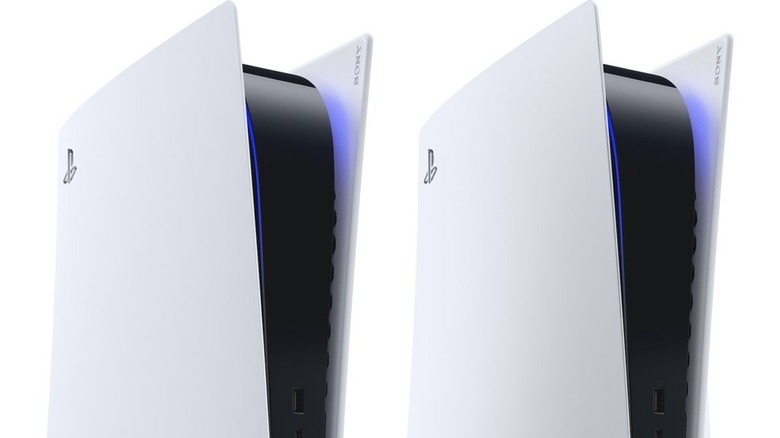
The PlayStation 5, launched in 2020, has marked a significant step forward for Sony’s home console legacy, propelling it into the next generation of gaming. With an impressive library of games and powerful hardware, the PS5 stands out as a formidable competitor in the market. While the console is designed to work seamlessly right out of the box, there are several features that users can customize to further enhance their experience. These settings aren’t automatically enabled but are worth exploring to get the most out of your PS5.
Customize Your Privacy Settings
Gamer privacy has become a major concern in recent years, with many companies collecting user data without explicit consent. The PlayStation 5 offers a range of options to adjust privacy settings for individual users, though these settings require some digging to find. From the home screen, navigate to “Users and Accounts” and then select “Privacy.” Here, you can control how the PS5 handles data collection and set preferences for visibility. You can also manage who can see your profile, send messages, or invite you to PlayStation parties. This level of control helps ensure that your online experience is tailored to your comfort level.
Enable 3D Audio for Immersive Sound
One feature that many PS5 users might not be aware of is 3D Audio. This feature is ideal for those without a home surround system but still want a more immersive audio experience than what their TV’s default settings offer. 3D Audio works with both headphones and TV speakers, providing a more spatial sound experience. To activate this feature for headsets, go to “Settings,” then “3D Audio (Headphones)” and create a personalized setting based on your preferences. For TV speakers, navigate to “Settings,” then “3D Audio (TV),” and measure the room acoustics within the menu to optimize the sound. Gamers who have used surround sound systems will appreciate the difference this feature makes, even if it doesn’t fully replicate a full surround setup.
Mute the Controller’s Microphone
The DualSense PS5 controller comes with a built-in microphone that is enabled by default. This means that any conversation near the controller could be picked up, which might lead to unintended exposure during intense gameplay. If you want to avoid being identified as a toxic gamer, you can mute the microphone. To do this, access the settings menu from the PS5 home screen, choose “Sound,” then “Microphone,” and select “Mute” under “Microphone Status.” You can also use the quick menu by pressing the PS button on the controller and selecting the microphone icon to mute it. This feature helps prevent accidental audio capture during heated moments in games like “Mortal Kombat 11” or “Injustice 2.”
Toggle Performance Mode for Stability
For players experiencing frame rate drops or lag, the PS5 offers a performance mode that prioritizes stability over visual fidelity. This mode lowers the resolution and reduces ray tracing usage to help maintain a consistent frame rate. To switch to performance mode, go to “Settings” from the home screen, then “Saved Data and Game/App Settings,” followed by “Game Presets.” Select “Performance Mode” if you’re looking for a smoother experience. Keep in mind that this mode sacrifices 4K resolution unless you switch back to “Resolution Mode.” It’s particularly useful for fast-paced games where a stable frame rate is essential.
Enable Remote Play for On-the-Go Gaming
Thanks to the PS Remote Play app, you don’t need to be at home to enjoy your PS5. As long as you have a strong WiFi connection and a PS5 controller, you can play many titles from your smartphone or tablet. The app is free to download, and once installed, you can enable remote play through the settings on the home screen. Logging into your account allows you to access your games remotely. Many games run smoothly through the app, especially with a strong internet connection. This feature opens up new possibilities for portable gaming, making it easier to enjoy your favorite titles anywhere.