how to change whatsapp ringtone to google sound fast

More personal and functional WhatsApp ringtone settings
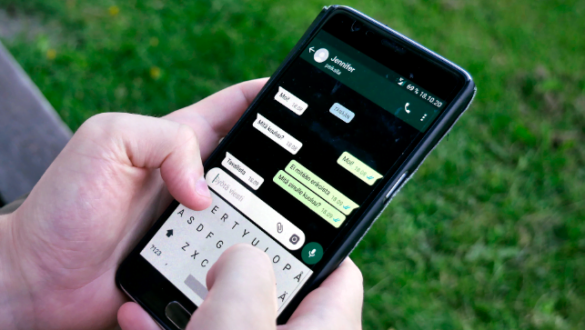
WhatsApp users now have more options in setting the notification ringtone to their liking. In addition to using the built-in tone, users can choose their favorite songs, Google voice, or even voice recordings themselves without the need to install additional apps on the phone. This feature not only provides a personal touch, but also helps users to recognize incoming messages more quickly.
With different ringtones for each contact or group, users can immediately find out who sent the message without having to open the phone screen. This is very useful for WhatsApp users who are active in various conversations, ranging from work groups, communities, to families. With different notifications, users can avoid errors in responding to messages and more easily prioritize communication.
In addition, WhatsApp users can also create their own ringtone by utilizing services such as Sound of Text. This platform allows text to be converted into audio with a voice similar to Google, which can then be downloaded and used as a WhatsApp notification tone. With these various options, WhatsApp users can adjust the ringtone to make it more unique and functional.
how to download whatsapp ringtone
To get a ringtone from another source, the user only needs to access the audio provider platform, then download the desired file. One example is through the Sound of Text site. Here are the steps:
- Visit the sitehttps://soundoftext.comvia mobile browser.
- Enter the text as you wish.
- Select Indonesian in the voice option.
- Click “Submit” and wait until the text is converted to audio.
- Once available, click “Download” to save the audio file.
The downloaded files are usually stored in the download folder and can be accessed through the file manager.
how to change wa ringtone
Once the audio file is available, the user can set it as a WhatsApp notification tone through the phone settings. Each HP brand may have a slightly different step. For example in Xiaomi phones:
- Open the Settings menu.
- Select “Notification & Control Center”.
- Click “Application Notifications” then select WhatsApp.
- Go to the “Notification” option and select “Voice”.
- Select “Local Ringtone”, then open File Manager.
- Select the downloaded audio file and click “Apply”.
Once applied, the WhatsApp ringtone will change according to choice. In this way, users no longer have to hear the sound of the default notification that sounds monotonous.
Benefits of setting ringtone
In addition to making the display more personal, setting the ringtone also helps improve response to important messages. With a distinctive ringtone, users can immediately find out whether incoming messages come from important contacts or groups that require immediate attention.