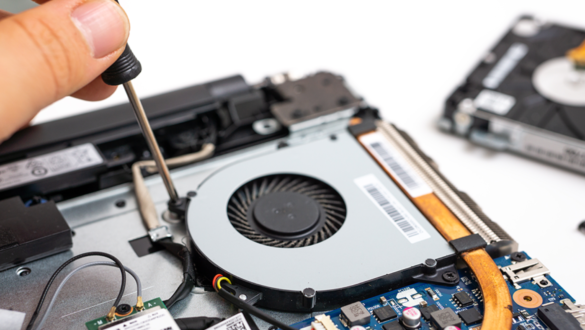
Signs of a broken laptop RAM and must be replaced: recognize the symptoms before the data is lost

Have you ever been busy working after deadlines, suddenly the laptop becomes very slow, the cursor is stuck, or even a scary blue screen appears? Many people immediately panic and think Hard disk or their processors are the problem. In fact, often the culprit of this problem is a smaller but crucial component: RAM (Random Access Memory).
RAM serves as a temporary data storage area that allows you to run various applications simultaneously. Imagine RAM as your laptop’s “working table”; If the table is damaged or too small, the work will pile up and fall apart.
Then, how do we know if it’s time for this “working table” to be replaced? The following is an in-depth discussion of the signs of a damaged laptop RAM that you need to be aware of.
What is RAM and why is it so important?
Before getting into the symptoms of damage, it is important to understand the role of this component. According to TECHNO COMPASS, RAM is a bridge between permanent data storage (Storage) and the main processing unit (CPU). The bigger and healthier the RAM capacity, the smoother the flow of the data being processed.
When RAM starts to have problems, the impact is not only on speed, but can damage the integrity of the data you are working on.
Main Signs of Broken Laptop Ram
Detecting RAM damage is a little Tricky because the symptoms are often similar to viral or viral problems. Software. However, there is a special pattern that you can pay attention to.
1. Performance drops drastically
This is the earliest indication. If your laptop is usually smooth when opening Browser with 10 Tab, but now it feels very heavy even when it’s just turned on, this is a yellow light. Note if this delay occurs worse with the duration of the laptop usage.


2. Often experience Blue Screen of Death (BSOD)
You must be familiar with the blue screen that displays a white error code. If Blue screen appears occasionally, maybe it’s a problem Driver. However, if the blue screen appears every time you open the heavy application or even when the laptop idle (silent), most likely there is a memory block on the broken RAM.
3. Random Freezing (sudden frozen laptop)
Has your laptop screen suddenly been completely silent, the cursor can’t be moved, and Keyboard not responding, so you have to do Force Restart? If this happens randomly—sometimes when typing, sometimes when watching a video—without a clear pattern, RAM is often the main cause.
4. Files often Corrupt (broken)
Reported from PCMAG, one of the signs of damaged RAM that is often overlooked is the sudden breakdown of data. For example, the document file that yesterday can still be opened, today suddenly a warning appears “Corrupted Files” when it is accessed. This happens because RAM fails to store the data structure properly while the file is being edited.
5. Failed to install new application
If you often fail when trying to install a new program with unclear error codes, don’t rush to blame the installer. The installation process requires reading and writing intensive data into memory. The defective RAM will break this process in the middle of the road.
common causes of damaged laptop ram
Why are these components that look solid can be damaged? Here are some common causes:
Electric spike: An unstable electric current or lightning can “fry” a sensitive memory chip.
Overheating (overheat): Poor laptop ventilation makes the internal temperature rise, damaging the silicone component on the RAM.
Age factor: Like other electronic components, RAM has a service life limit.
static electricity: Touching a piece of RAM without antistatic protection when disassembling the laptop can damage it instantly.
How to Check Laptop Ram Health Easily
You don’t need to be an expert technician to ensure the condition of the RAM. The Windows operating system has a very useful built-in tool called Windows Memory Diagnostic.
Checking steps:
Press the button Windows + R on the keyboard.
Type
mdsched.exethen press enter.Select Options “restart now and check for problems”.
the laptop willRestart and enter the diagnostic blue screen. Let the process run to completion.
If found error, the system will notify you after the laptop turns on again. That is a sure sign that you have to replace RAM.
Comparison Table: Software vs. RAM problem
To make sure you need to reinstall Windows or purchase new RAM, see the following comparison table:
| Symptom | Possible software/virus problems | Possible RAM (hardware) |
| time happens | Laptop Slow Consistent Since Turned On | Laptop is slow suddenly or gets worse over time of use |
| Crash pattern | occurs when opening a specific application only | randomly occurs (Random), even when not opening heavy apps |
| error message | usually there is a “not responding” notification | Directly Blue screen (BSOD) or Restart own |
| fan sound | normal or slightly tight | The fan often rotates maximally because the system works extra hard |
When is the right time to replace RAM?
If you experience more than the two symptoms above and the results of a diagnostic test indicate the presence of error, then there is no other solution other than replacing the RAM pieces. Forcing use of damaged RAM can spread to damage motherboard or Hard disk Because often Force Restart.
Quoting advice from TechRadar, before buying new RAM, make sure you check the RAM type (DDR3, DDR4, or DDR5) and the maximum capacity limit that your laptop supports so you don’t buy it wrong.
FAQ (frequently asked questions)
1. Can the damaged RAM be repaired?
Technically, the physical RAM pieces that have been damaged (bad sectors on the memory chip) cannot be repaired. The only solution is to replace it with a new unit.
2. How much does it cost to replace a laptop ram?
Costs vary depending on the type and capacity. For standard laptop RAM (8GB DDR4), the price ranges from IDR 300,000 to IDR 600,000, not including installation services if you go to a service center.
3. Will adding RAM will make the laptop “speed” again?
If the main problem is lack of memory capacity, yes. However, if the cause of a slow laptop is an old hard disk (not an SSD) or an overheating processor, adding RAM will only give a slight improvement.
4. Can I install two different brands of RAM on one laptop?
Yes, as long as the main specifications (DDR type, voltage, and frequency/MHz) are the same. However, for the most optimal and stable performance, it is recommended to use identical brands and specifications (twins).
Have you found these signs on your laptop? If you are hesitant to check it yourself, you should immediately take it to a professional technician for further diagnosis.